
Download ToWeb – website builder, website creator, create website, online store, personal website, blog, photo album, virtual shop, template-based website, no code website
Overview
ToWeb is a mobile application designed to simplify the process of creating websites for users of all technical skill levels. It serves as a comprehensive tool for individuals and small businesses seeking to establish an online presence without requiring programming knowledge. The app enables users to build personal websites, blogs, photo albums, online catalogs, and even virtual shops through an intuitive interface. Its primary purpose is to lower the barrier to entry in web development by offering a guided, step-by-step experience that walks users through every stage of website creation.
The target audience includes beginners, freelancers, photographers, small retailers, and content creators who want to publish their work or services online quickly. By providing access to professionally designed templates, ToWeb supports a wide range of real-world use cases—from showcasing portfolios and sharing life events to launching small e-commerce projects. The app plays a meaningful role in the mobile productivity ecosystem by empowering users to take full control of their digital footprint without relying on third-party platforms or complex tools.
Developed by ToWeb, the application was released on June 20, 2023, and is available for free on Android. Although the developer did not provide additional technical details, the app’s focus on accessibility and ease of use suggests a strong commitment to user-centered design. The absence of coding requirements makes it particularly valuable for non-technical users seeking a fast, secure, and efficient way to build functional websites directly from their smartphones.
Key Features & Functionality
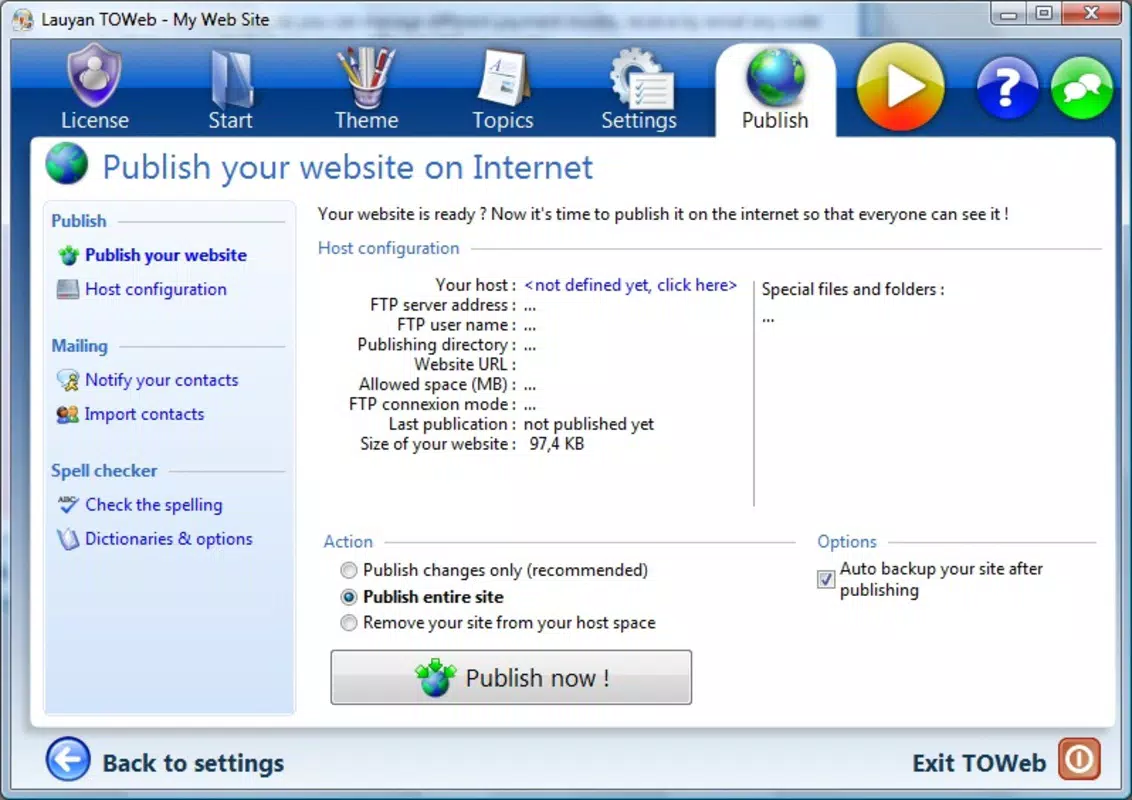
- User-Friendly Wizard: ToWeb guides users through website creation with a clear, step-by-step wizard that simplifies each phase—from choosing a site type to publishing. This feature ensures a stress-free experience, especially for those unfamiliar with web design.
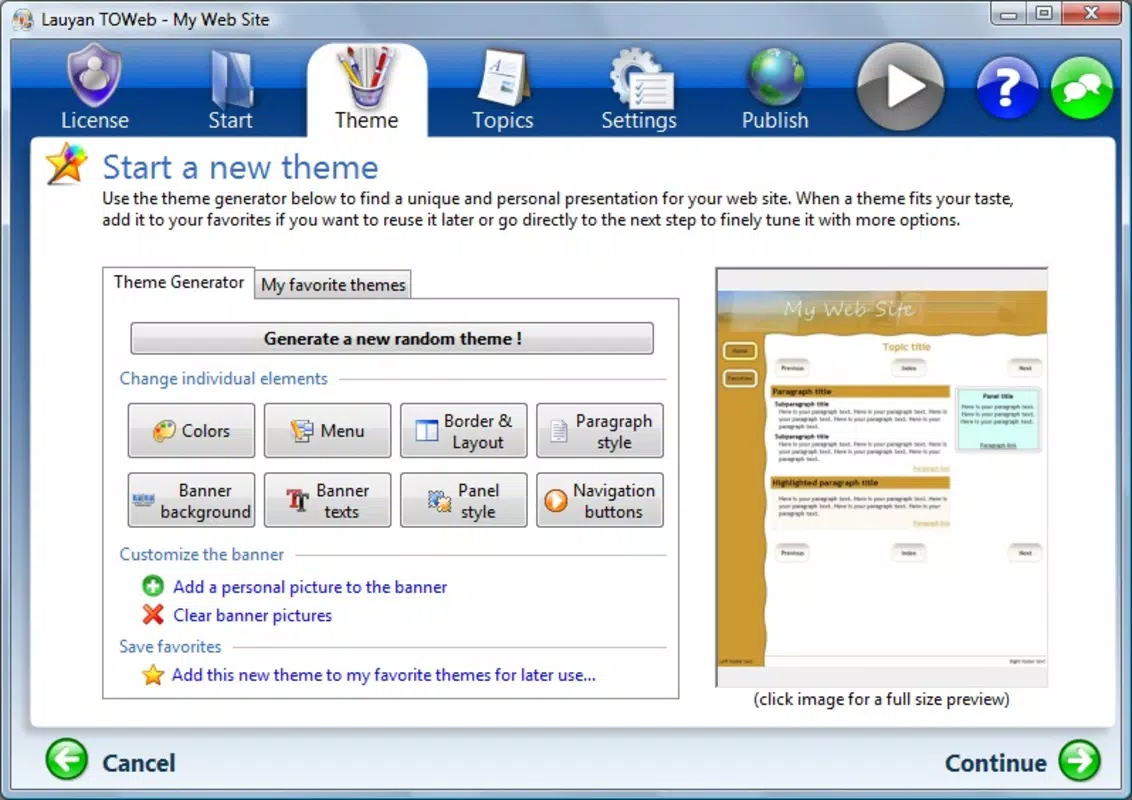
- Diverse Templates: The app offers a broad selection of pre-designed templates tailored for personal sites, professional catalogs, blogs, photo albums, and virtual shops. Users can browse and select a template that aligns with their vision, significantly reducing setup time.
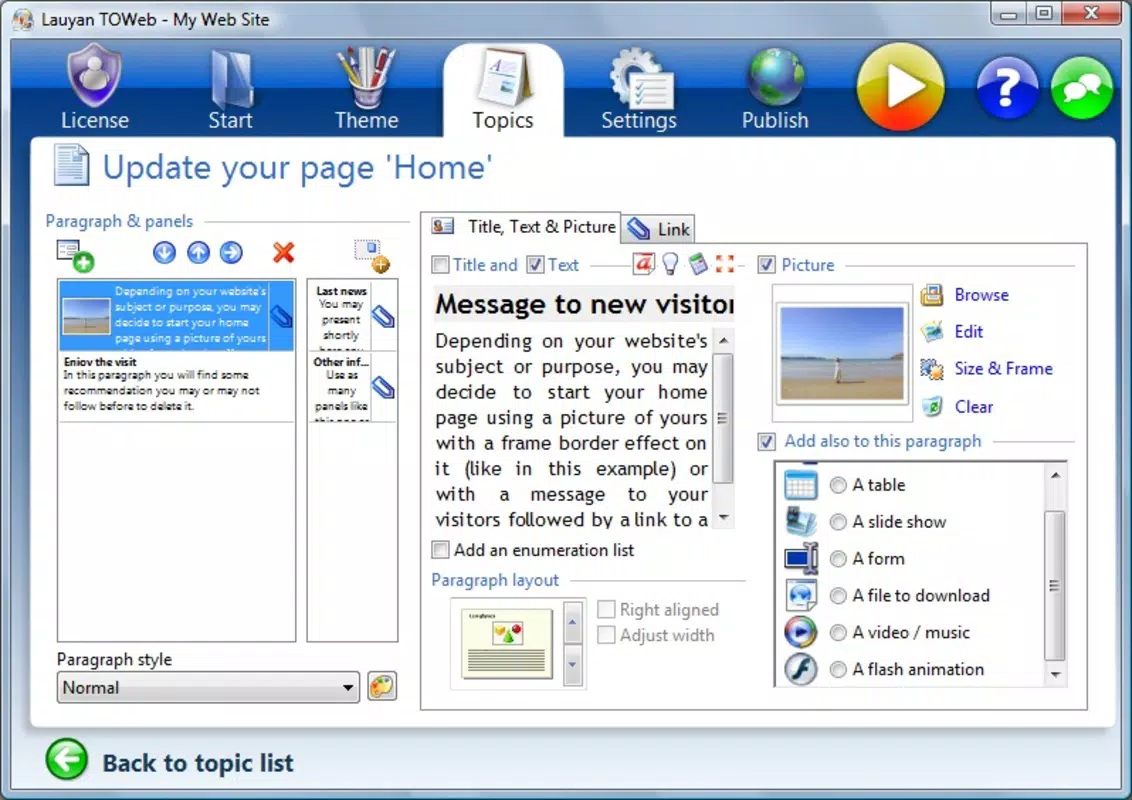
- Easy Customization: With minimal effort, users can modify layouts, rearrange icons, update menus, and adjust visual elements. This level of flexibility allows for personal branding and tailored content presentation without technical barriers.
- Versatile Website Options: ToWeb supports multiple website types, making it suitable for both casual users and small business owners. Whether building a simple blog or a full-featured online store, the app provides the necessary tools for a complete web presence.
- No Programming Required: One of the app’s standout advantages is its complete independence from coding knowledge. Users can create professional-quality websites using only visual tools and intuitive controls, democratizing web development for non-technical audiences.
For example, a photographer could use a template designed for photo albums, upload their images, customize the layout, and publish a gallery in under an hour. Similarly, a local artisan could set up a virtual shop with product listings, pricing, and contact information—all without writing a single line of code. These practical applications highlight how ToWeb transforms abstract digital creation into tangible, real-world outcomes.
Interface, UX & Performance
The user interface of ToWeb is designed with simplicity and clarity in mind. Navigation is structured around a clean, minimal layout that prioritizes accessibility. The app uses a linear flow, guiding users through each stage of website creation with visual cues and clear labels. This intentional design reduces cognitive load and helps users stay focused on their goals.
Visual style leans toward modern, flat design principles, with consistent color schemes and readable typography. Buttons and interactive elements are appropriately sized for touch input, enhancing usability on smartphones. The app’s responsiveness is evident in smooth transitions between screens and immediate feedback during interactions such as template selection or content editing.
Although the developer did not list formal performance metrics, the app’s lightweight nature—24.3 MB in size—suggests efficient resource usage. It is likely optimized for a range of Android devices, including mid-tier and entry-level models. Stability appears to be well-maintained, as the app has been available since 2023 without reports of widespread crashes or bugs. However, specific requirements were not listed, so users should ensure their devices meet general Android compatibility standards.
Platform Compatibility & Technical Requirements
ToWeb is available exclusively on the Android platform and is compatible with devices running Android OS. The current version is 1.2.5, and the app occupies 24.3 MB of storage space. The developer did not specify minimum OS requirements or device specifications, so users are advised to check compatibility through their device’s app store.
As a free application, ToWeb does not require payment for installation or core functionality. Its lightweight file size makes it suitable for devices with limited storage, and its mobile-first design ensures seamless use on smartphones and tablets. While no information was provided about cloud integration, publishing methods, or backend hosting, the app appears to be self-contained for the creation and management of websites.
Users should note that the app’s functionality may vary depending on the device’s processing power and screen resolution. However, the absence of complex animations or high-resolution media demands suggests broad compatibility across different Android device categories.
Pros and Cons
Pros
- Intuitive, guided wizard simplifies website creation for beginners
- Wide range of templates for various website types including blogs and online stores
- Easy customization without requiring coding skills
- Lightweight design with minimal storage usage (24.3 MB)
- Free to download and use on Android devices
Cons
- Specific system requirements were not listed by the developer
- Platform availability is limited to Android only
- No information provided about hosting, publishing, or domain integration
- Developer did not disclose update frequency or long-term support plans
- Compatibility with older Android versions is uncertain
FAQ
Is ToWeb safe to download and install?
Yes, ToWeb is available as a free app on the Android platform. As it is distributed through official channels, it is considered secure for installation on compatible devices. Users should always download apps from trusted sources to ensure safety.
Can I use ToWeb to create an online store?
Yes, the app supports the creation of virtual shops and online catalogs. Users can design and publish product pages using available templates and customization tools, making it suitable for small-scale e-commerce projects.
Do I need coding knowledge to use ToWeb?
No, ToWeb is designed for users with no programming experience. The app eliminates the need for coding by offering visual editing tools and a guided creation process.
Is ToWeb available for iOS devices?
The developer has not released ToWeb for iOS. The app is currently available only on Android platforms.
How often is ToWeb updated?
The developer did not disclose the update frequency. Users are advised to check their device’s app store for the latest version and any available improvements.
Final Thoughts
ToWeb stands out as a practical, no-code solution for individuals and small creators who want to build a professional website quickly and affordably. Its user-friendly wizard, diverse templates, and effortless customization make it ideal for bloggers, photographers, freelancers, and small business owners. The app successfully bridges the gap between technical complexity and creative expression, enabling users to focus on content rather than code.
While limitations exist—such as platform exclusivity and lack of detailed technical information—the overall experience is streamlined and effective. For anyone seeking a reliable, free, and secure way to create a personal website, blog, or online store, ToWeb delivers strong value. Its lightweight design and intuitive interface ensure accessibility across a wide range of devices.
Download ToWeb now


